Virtualization, Cloud, Infrastructure and all that stuff in-between
My ramblings on the stuff that holds it all together
Daily Archives: November 21, 2008
Platespin Power Convert – Installation problem – Error Running a Custom Action
Posted by on November 21, 2008
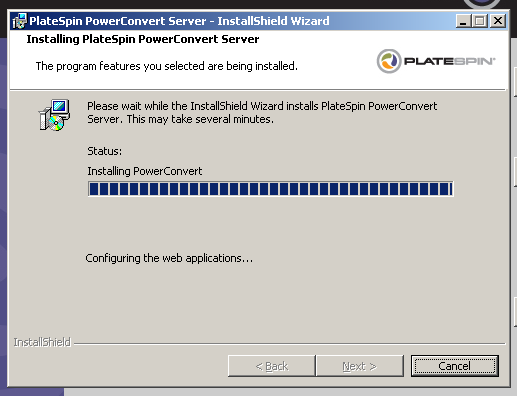
I’m working on a post around Platespin Power Convert, if you encounter the “Error running a custom action” message during installation (below) this post explains how to fix it.

first, make sure you have installed IIS and then .NET 2.0 (in that order, you will break it otherwise).
then if you get the above error you will likely have the following text in the PowerConvert_CustomActions.log file;
Updating IIS Script maps…
Setting security for the PowerConvert web directory
Configuring the web applications…
Error: System.Exception: Cannot connect to IIS with http or https…
at PlateSpin.Athens.Sdk.Server.ServerHelpers.GetAthensUrl(String athensName, CertificateWarnings certificateWarnings, String serverAddress)
at PlateSpin.Athens.Sdk.Server.ServerHelpers.GetLocalPowerConvertUrl(String powerConvertName, CertificateWarnings certificateWarnings)
at PlateSpin.Athens.Install.ProjectInstaller.setPowerConvertWebConfig(CertificateWarnings certificateWarning)
at PlateSpin.Athens.Install.ProjectInstaller.Install(IDictionary state)
Error: Cannot connect to IIS with http or https…
You need to enable the .Net 2.0 extensions (as per this thread)
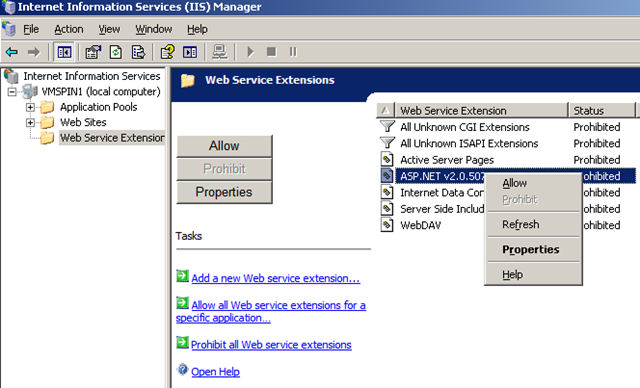

That makes the installer a bit happier – the install screen is pretty good at detecting the other pre-requisites, would be handy if it did that one too!

Also another tip to speeding up the installation, particularly if you are installing PowerConvert in a VM is to extract the PowerConvert installation to a directory on the host machine (or elsewhere); otherwise the installer extracts a temporary copy inside the VM and then installs from it, which is a bit inefficient on space, especially if you are installing an eval copy inside a VM with a growable .vmdk file.
You can extract it by running the downloaded .EXE file PowerConvertSetup.EXE with a -x parameter, then choose the directory to extract to; then present this extracted directory into your VM/host to install which should give a directory structure like this


 Virtualization, Cloud, Infrastructure and all that stuff in-between