Virtualization, Cloud, Infrastructure and all that stuff in-between
My ramblings on the stuff that holds it all together
Daily Archives: January 12, 2009
Windows 7 and the Intel 855GM Video Driver "Solution"
Posted by on January 12, 2009
I’ve been playing about with Windows 7 in a VM for a while now in a VM, but now the beta is out I wanted to install it on a physical machine, I’m not ready yet to upgrade my main laptop to Windows 7 (although I have a cunning plan to p2v my Vista install and convert to a VHD so I can dual-boot that way which is a neat trick)
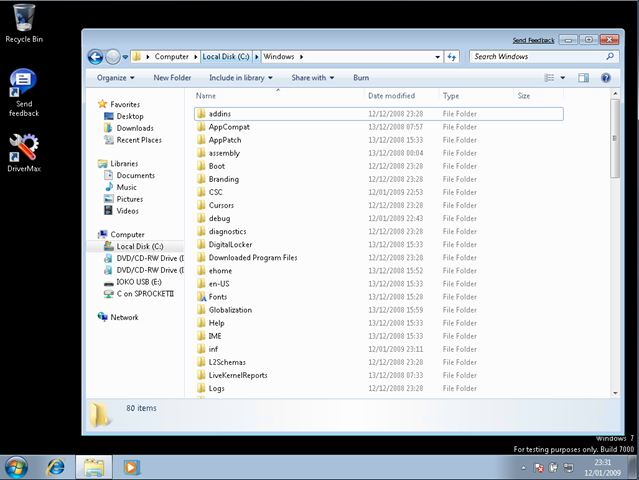
I have a Dell Inspiron 510m laptop that I use for testing things (I used it for my Patespin series) that I wanted to install Windows 7 on, it still gives pretty good performance and has 2Gb RAM – the installation itself went smoothly and quickly – less than 45mins from format to finished 1st boot, but it doesn’t detect the wireless or video card.
In my experience this isn’t that unusual for a Dell, although video did surprise me as Vista had a default driver for the Intel 855GM on-board video that worked well, there is no built-in driver in Windows 7 it would seem.
So, a bit of a problem – I’m stuck with 640×480 VGA mode which isn’t much use.
I tried several ways to hack the Vista version of the driver into my installation, all without success – it always defaulted back to the default VGA drivers, some discussion here if you are interested
In the end I came across a post suggesting that I use an application called DriverMax – this is capable of exporting and importing installed drivers, I’d not tried it before but decided to give it a go, I know Vista had a working 855GM driver so the plan was to export it from there, and import it into a Windows 7 installation as I was unsure of how to extract it from the Vista installation media.
This necessitated a format and reinstall of the Dell 510m with Vista, which was painless enough as I had an auto-install DVD that I’d previously built
Once Vista was installed there was a working video driver running – I used DriverMax to export the working driver from the running OS – no source or driver CD required via a couple of clicks in the UI to a .zip file on a USB drive.
I then formatted and reinstalled Windows 7 again and on the laptop and installed DriverMax again.
then I simply imported the driver from the .zip file
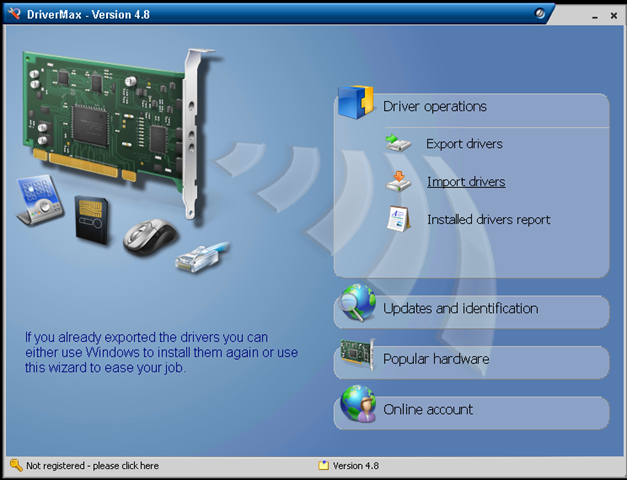
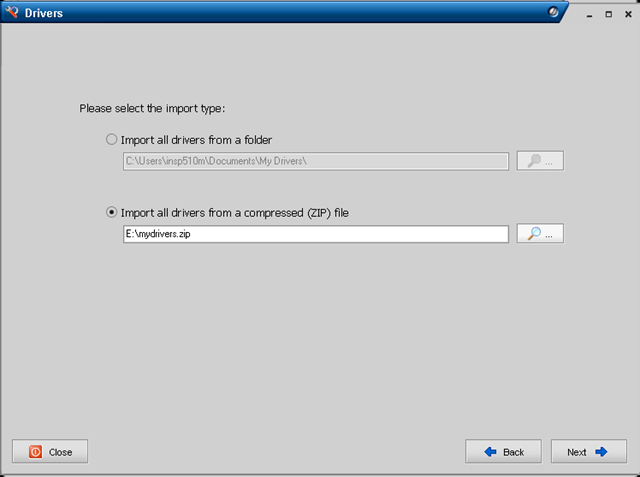
Note – it knows the driver I saved was a default Windows driver
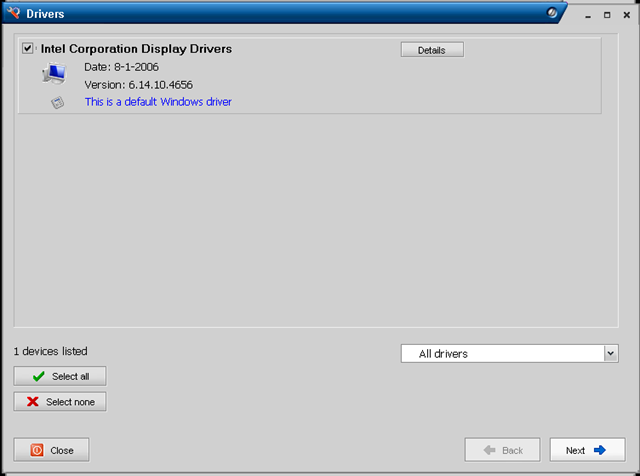
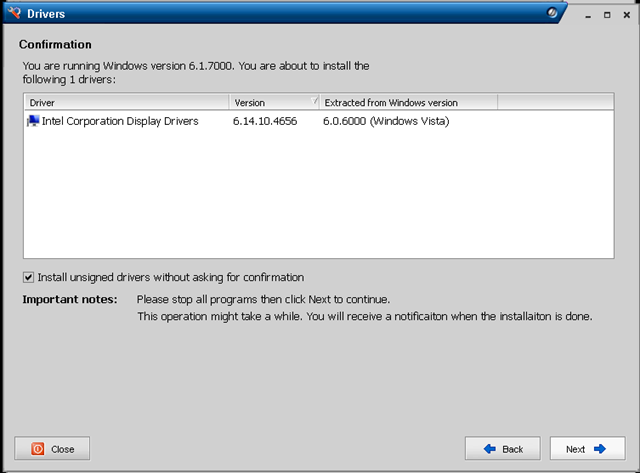
Summary screen – important to note it can install unsigned drivers if required
After a reboot the Windows 7 installation is running with a working (full-res) video driver.
I did find one slight problem with DriverMax that I had to work-around, with the default VGA video driver the buttons on the dialog boxes were inaccessible and I couldn’t resize or hot-key around it to progress, so in the end I had to do the process via remote desktop to the Win7 machine from another machine on my network over a wired LAN connection!
It’s not an ideal solution as you have to have a working Vista installation to extract the driver from and is probably totally unsupported, this is essentially Windows 7 running a Vista video driver – but it’s a beta anyway, hopefully MS or Intel will ship an 855GM driver again when Windows 7 goes RTM.
My initial impressions are that Windows 7 seems a lot more responsive than Vista, although to be fair it’s a vanilla installation thus-far. I have high-hopes for the beta, by my reckoning the change in the code-base isn’t as fundamental as it was between XP and Vista so it’s more focused on incremental features and performance improvements. I ran beta copies of Vista on my main work machine from Beta 1 through to RTM without too many problems, maybe I’ll be confident enough to do that again this time around – the VHD booting feature is certainly compelling for what I do.
Amazon EC2 Web Console
Posted by on January 12, 2009
I’ve been doing a bit of playing about with Amazon’s EC2 cloud services recently, this is just a quick post with some screenshots of the new beta web console they have launched.
Up until now you had to control it via command line, or a firefox plug in – now Amazon have launched their own… seems very easy to use and understand – available online here

You can browse the list of pre-configured AMI’s (Amazon VM Images) and choose which ones you want to spin up.

I’m writing up some posts on using EC2 for quick ‘n’ dirty test and development environments, but I can see a lot of potential for this service to provide automated overspill capacity for applications using the automation API and some clever management tools.

 Virtualization, Cloud, Infrastructure and all that stuff in-between