Virtualization, Cloud, Infrastructure and all that stuff in-between
My ramblings on the stuff that holds it all together
Daily Archives: May 21, 2009
Cheap vSphere Server
Posted by on May 21, 2009
If you have a home lab setup or want to get going with learning VMware’s new vSphere product you will need an x64 capable machine to run it on, although it does also run under VMware Workstation too – even supporting nested VMs and physical ESX to virtual ESX vMotion! unfortunately it won’t run on my trusty old HP D530 desktops which I’ve used to run ESX 3.5 over the last year or so.
My lab setup uses a couple of HP ML110 servers, they are low-cost and pretty capable boxes, for example they both have 8Gb of RAM and cost me less than £350 GBP each with RAM and disks (although I’ve added storage from my spares pile).
If you are in the UK Servers Plus have some great deals on HP ML series servers which are great for home lab setups – see some of Techhead’s postings on his findings with the ML1xx range here
Linkage to Servers Plus £199 +VAT servers here (www.serversplus.com) if you tell them vinf.net or techhead.co.uk sent you they may cut you a deal on delivery as they have done in the past (no promises as I’ve not had a chance to speak to them).
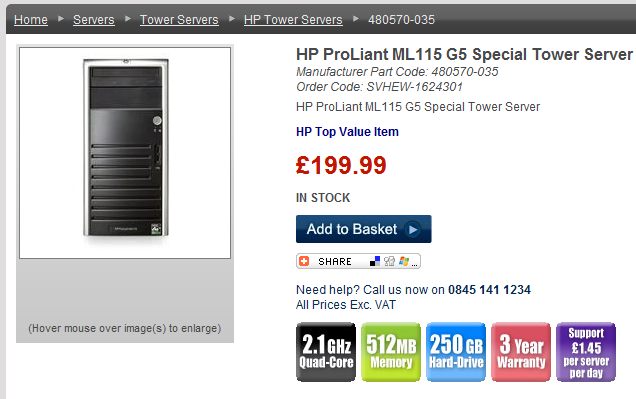
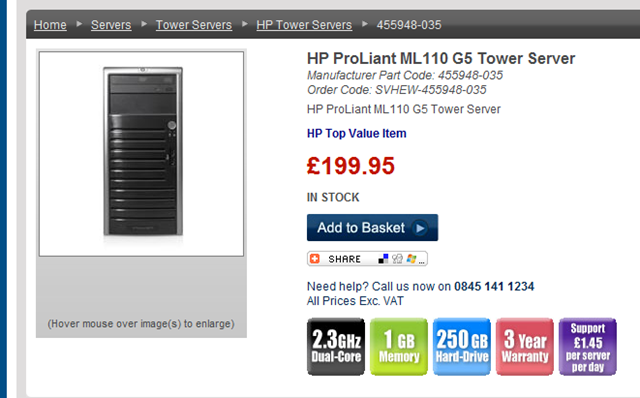
A note of caution if you are looking to try out the cool FT features of vSphere you will need to purchase specific CPUs, which may be more expensive – there is a good list of compatible CPUs on Erics blog here and some more reading here
Check before you buy you can lookup the manufacturers part code to check with CPU each model has – or check with the supplier.
The CPUs I have in my dual-core Xeon ML110G5 is not compatible with FT 😦
but it does look like the AMD quad-cores may be compatible, but check 1st – don’t take my word for it I HAVE NOT TRIED IT but I would like to if someone wants to donate one 🙂UPDATE: the ML110G5 with the AMD Quad Core CPU IS VMware FT compatible – see link here for more details; I am ordering one now!

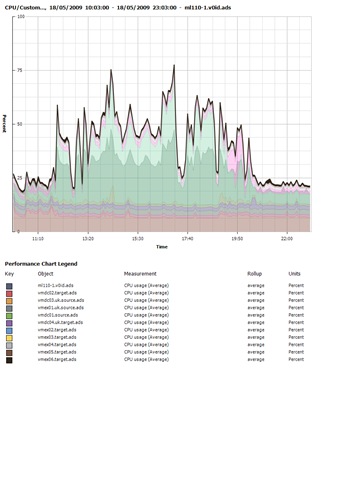
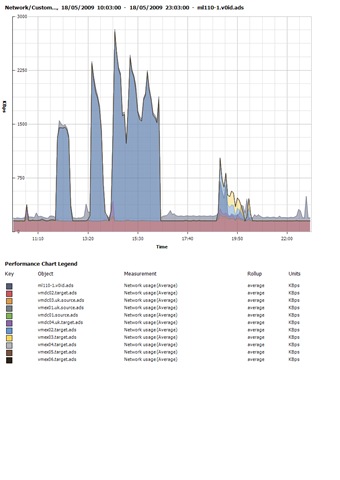
If you are interested – here are some performance charts from my home lab running vSphere RC on an HP ML110 with 8Gb RAM and 2 x 160Gb SATA HDD’s whilst doing various load tests of Exchange 2007 and Windows 2008 with up to 500 concurrent heavy profile users (these stats are not particularly scientific but give you an idea of what these boxes can do, I’ve been more than happy with mine and I would recommend you get some for your lab)

These are some general screengrabs, note there are lots of warnings showing – this is what happens when you thin-provision all your VM’s and then one fills up rapidly making the VMFS volume itself run out of space – you have been warned!


I’m running 15 VMs on one ML110, the 2nd box only has 1 VM on it as I wanted to see how far I could push one box, I’ve not found a real limit yet! it runs a mix of Windows 2003/2008 virtual machines, and it doesn’t generally break a sweat – note the provisioned vs. used space columns – Thin Provisioning 🙂 and I’m also over-subscribing the RAM significantly.

vSphere Downloads
Posted by on May 21, 2009
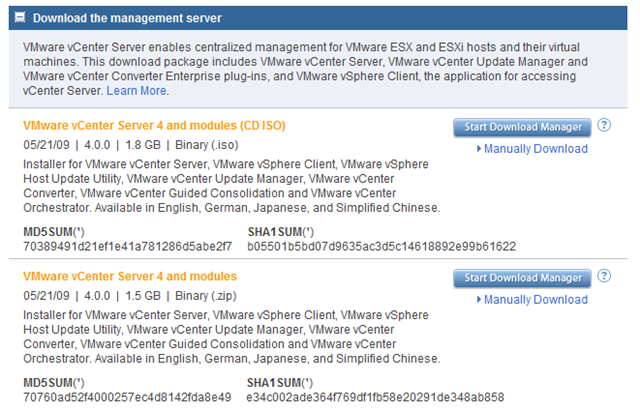
Now it’s out these screengrabs show you the downloadable binaries
Still has the classic (with service console) and ESXi versions

vCenter and all it’s utilities
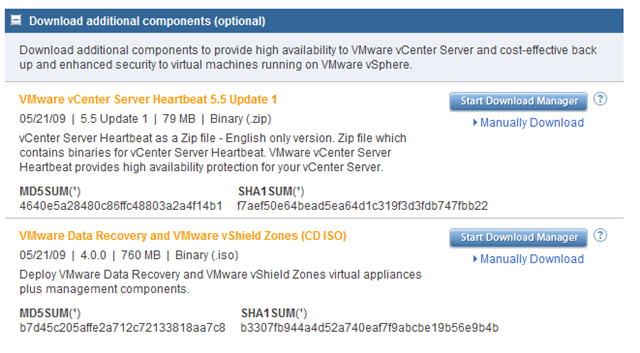
vCenter heartbeat, Data recovery and vShield zones, interesting that they have packaged data recovery manager and vShield Zones into one {large!} download.
No Cisco Nexus NX1000V on the VMware.com site, but you can register for a free 60 day eval here
vSphere, Come and Get it
Posted by on May 21, 2009
Well today is the day, GA or general availability of VMware’s new flagship product – vSphere (formerly known as Virtual Infrastructure 3).
The VMware.com homepage is showing the download link for a free 60 day trail.
download page is here

for some of my vSphere articles and many more check out these links
http://www.yellow-bricks.com/2009/04/21/vsphere-linkage/
https://vinf.net/2009/02/26/hands-on-lab-01-vsphere-features-overview/
https://vinf.net/2009/05/08/vsphere-rc-ram-under-vmware-workstation-how-low-can-you-go/

 Virtualization, Cloud, Infrastructure and all that stuff in-between