Virtualization, Cloud, Infrastructure and all that stuff in-between
My ramblings on the stuff that holds it all together
Monthly Archives: June 2009
Long Distance vMotion… heading to the vCloud
Posted by on June 30, 2009
VMware have an interesting proof of concept document posted online here, this is great progress for the platform and it can only be helped out by the close partnership with Cisco that has resulted in the NX1000V switch.
I’m no networking expert but to my understanding there are issues with extending Layer 2 networks across multiple physical locations that need to be resolved for this to be a safe configuration. to my limited understanding traditional technologies like spanning tree can present some challenges for inter-DC flat VLANs so they need to be designed carefully, maybe using MPLS as a more suitable inter-DC protocol.
The interesting part for me is that this will be the nirvana for VMware’s vCloud programme, where services can be migrated on/off-premise to/from 3rd party providers as required and without downtime. this is do-able now with some downtime via some careful planning and some tools but this proposition extends the vMotion zero downtime migration to vCloud.
As this technology and relevant VM/storage best-practice filters out of VMware and into service providers and customers this could become a supportable service offering for vCloud Service Providers.
To achieve this you still need storage access from both sites, to me the next logical step is to combine vMotion and FT technologies with some kind of host based replication or storage virtualization like the Datacore products. this will remove the dependency (and thus potential SPOF) on a single storage device for vMotion/FT.
Virtualizing/replicating the actual VM storage between different arrays and storage types (EMC—>HP, or even DAS—>EMC) and allowing (encapsulating) it over standard IP links rather than relying on complicated and proprietary array based replication and dedicated fibre connectivity is going to be a key success factor for vCloud, it’s interesting to see all the recent work on formalising FCoE along with other WAN-capable standards like iSCSI.
Some further reading on how I see “the cloud” evolving at a more practical level here
https://vinf.net/2009/01/08/what-is-the-cloud/
https://vinf.net/2008/06/23/virtualization-the-key-to-delivering-cloud-based-architecture-now/
Biking for Geeks
Posted by on June 29, 2009
A slight diversion from the usual topics, over the last year I have been getting back into cycling after a long break. Mainly to regain my overall fitness but also as a social thing with our daughter who loves cycling.
Whilst I enjoy cycling, like any geek I need an extra hook to keep me interested and track my progress against my goals, following some advice from colleagues who are really into running I looked into the Suunto range of products.
My list of wants for this personal training “solution” included
- Mileage & altitude logging (being as I typically cycle where there are a lot of hills)
- EPOC, energy consumption, heart rate
- Temperature
- GPS route logging so I can view routes on Google Maps etc.
I ended up at the Suunto T6C wrist top computer which comes with the heart rate belt, data cable etc.
|
ASIN: B0013LKSSO |
 Suunto T6C Heart Rate Monitor – Black: Sports & Leisure
Suunto have an active user forum with people sharing both technical and training tips, it wasn’t cheap but is widely regarded as “the business” and I increased the RoI 🙂 as I needed a normal watch – it’s not the smallest of watches, but it’s workable for me.
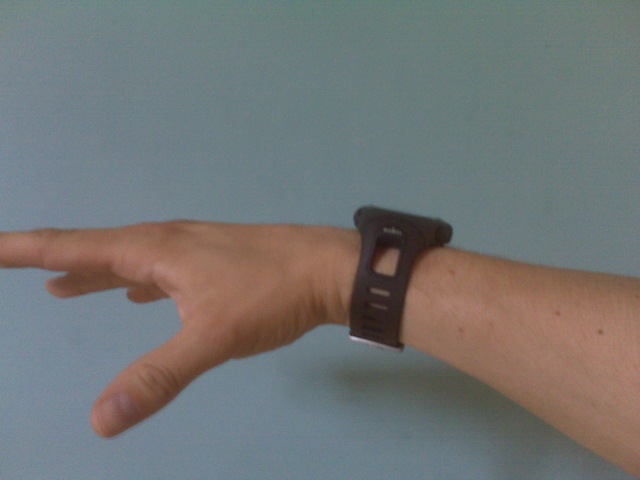
The Suunto range works using wireless “pods” which are battery operated sensors that record data including speed, heart rate, cadence etc. which are logged on the watch memory, the watch itself has built in sensors and logging for environmental items like temperature & altitude.
It doesn’t however satisfy the GPS route logging want; there is a GPS pod for the Suunto range however when paired with the T6C it just functions to monitor speed rather than allowing data logging and anyway Suunto bike pod provides a better solution for cycling.
Suunto also have the X9i
|
ASIN: B000WOZY82 |
 Suunto X9i: Sports & Leisure
and the newer X10 model
|
ASIN: B001DCEKXW |
 Suunto X10: Sports & Leisure
Both of these can do data logging but they were out of my price range at the time and didn’t get very good reviews for performance and build quality, whereas the T6C got good feedback all round.
I started with the watch itself which comes with the heart rate belt, later on I added the road bike pod (Suunto Road bike POD

I did also buy the GPS pod (Suunto GPS POD
The watch comes with a USB cable to download the logged data to a PC using the Suunto provided software (Suunto Training Manager); this is freely downloadable and allows you to analyze the data; there is also a wireless USB receiver (Suunto PC POD
The following screenshots are from the Suunto Training Manager application.
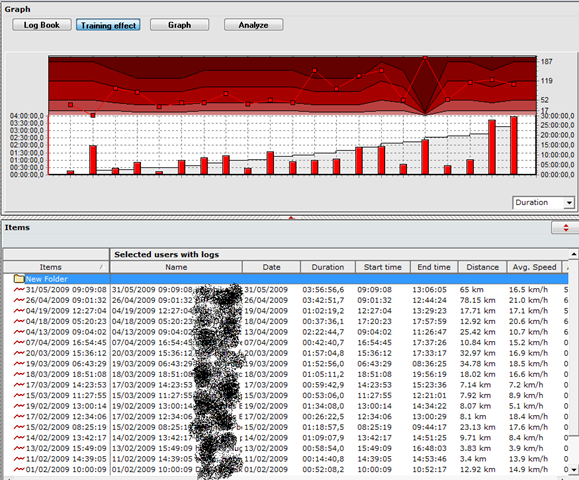
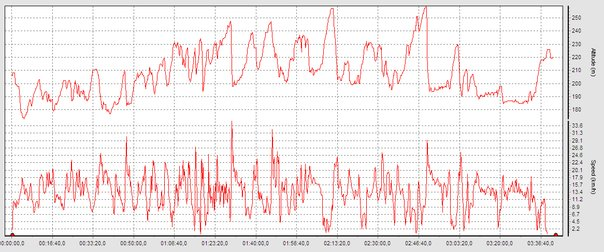
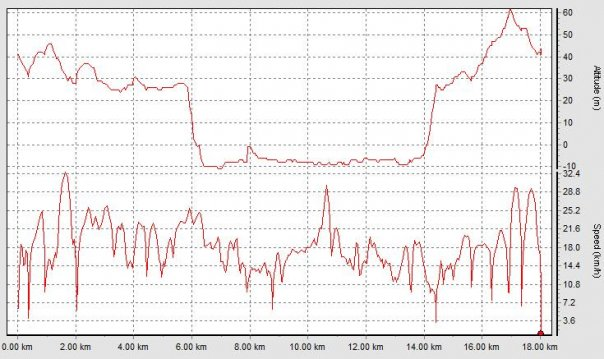
There is also some commercial software called FirstBeat Athlete which comes well recommended and takes a more active coaching approach whereas the Suunto Training Manager is more about allowing you to analyze your performance retrospectively although have not tried it yet (2-week evaluation copy here)
This is the road bike pod
|
ASIN: B000JL08NO |
 Suunto Road bike POD: Sports & Leisure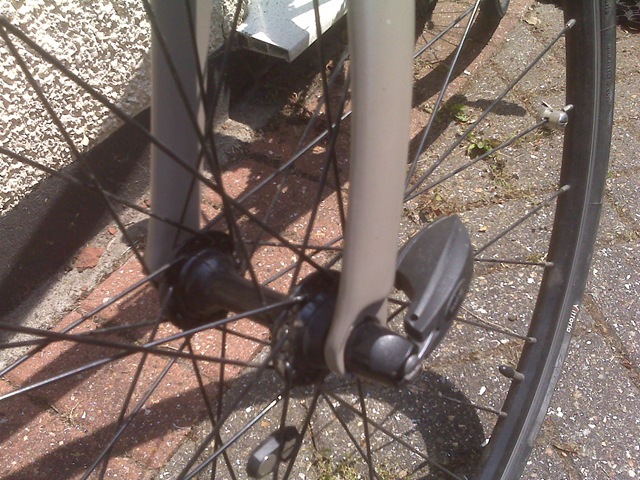
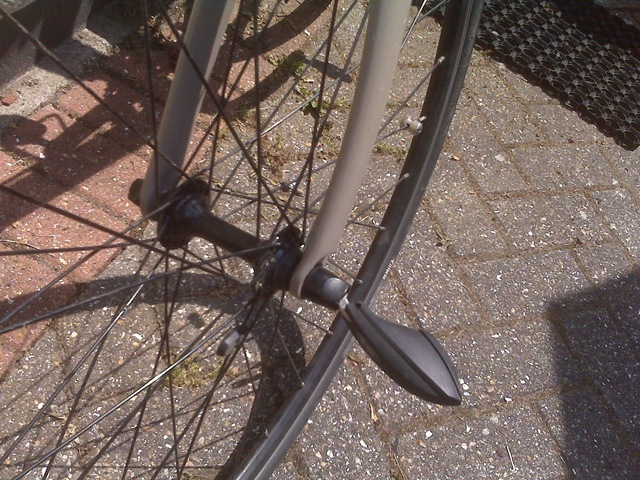
It records speed, and thus distance travelled – my hybrid bike has quick change wheels so it replaces the standard front wheel skewer and works with a magnet on the spokes; Suunto also do another version of this sensor for bikes without quick change wheels (Suunto Bike POD
I chose the road bike pod as it was a neater solution and there was less chance of the sensor being knocked off whilst the bike is being transported around.
This the the cadence sensor (don’t confuse it with the standard Suunto bike pod; both are of a similar design but do fundamentally different things)
|
ASIN: B0013LNYFS |
 Suunto Cadence Pod – For Cycling: Sports & Leisure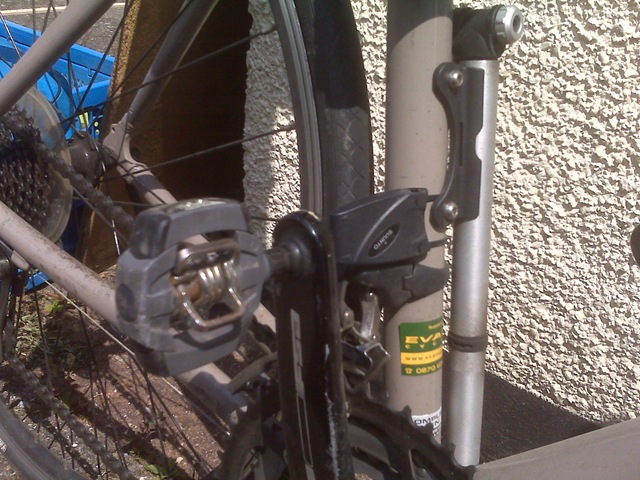
It works by attaching a small magnet to the inside of the pedal crank and a sensor mounted on the frame with supplied cable ties, cadence is an important part of monitoring your training – particularly when cycling as it’s easy to coast down hills 🙂
I have found the heart rate belt fine to use, some people have trouble with it slipping off but I’ve not had any issues, they can break/wear out but there are spares available.
All of the sensor pods have flat type batteries which are user-replaceable.
Some further resources are here
Suunto manual download page
Suunto training guides
The last part of my list of “wants” was GPS route tracking so I can record my cycle routes and store them for reference or working out where I got lost, I wasn’t bothered about actual on-bike navigation just post-ride analysis.
Being as the Suunto offerings I went with don’t have GPS route logging capabilities I looked at several standalone route logging devices like this and this, but they all require data to be downloaded and converted into a mapping programme.
Being as I always carry my mobile phone (Blackberry Pearl 8120) when I cycle I wanted an integrated solution. The version of the Blackberry Pearl that I use can run Google Maps with cell location but it lacks a built-in GPS. as a result I looked for a Bluetooth GPS receiver and some software to run on the Blackberry to log and possibly automatically upload data.
After a lot of experimentation I found Instamapper (www.instamapper.com, blog) which is an online service that integrates with Google Maps and works by receiving GPS data from client software running on a variety of handsets.
The clever part is that you never need to download/upload data to the service, the client buffers and uploads data automatically whilst the application is running, I found some problems with this initially that when the handset locked the application was terminating – this forum post fixed it for me and it has worked 100% ever since.
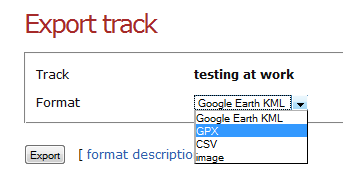
You can analyse the data online via the instamapper website, but it also gives you the option to export the data out to a variety of formats, including a .KMZ file which works with Google Maps
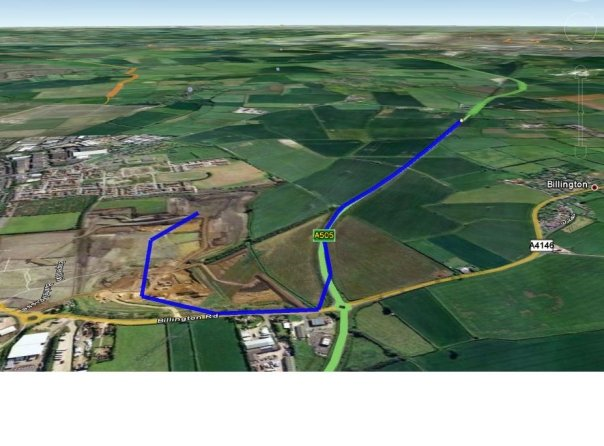
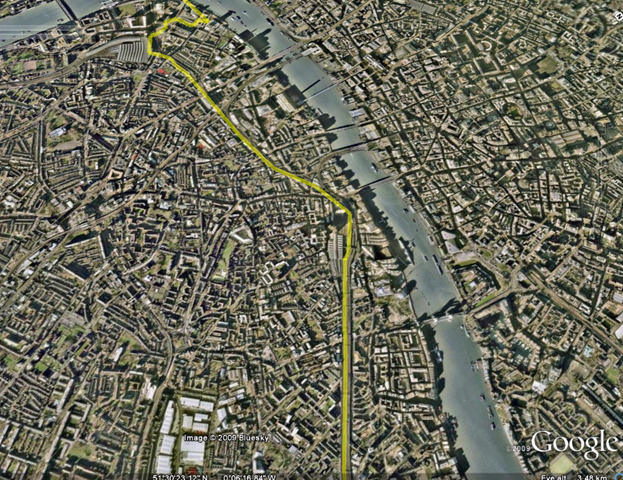
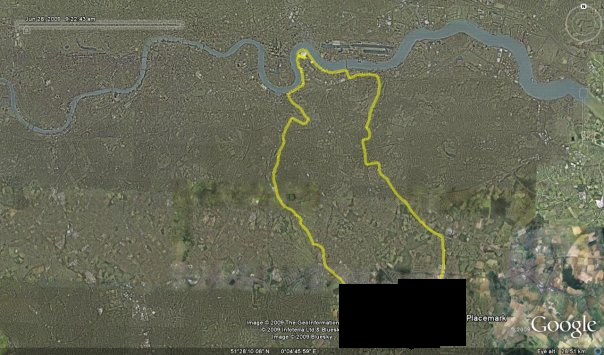
You can then view tracks like this in Google Earth
My bike is an Iron Horse Transit 3.0 which is a hybrid bike, I spent a lot of time researching which bike to buy and was looking for a Marin or Specialized bike but to be honest I was offered a good deal on this at an Evans Cycles warehouse sale last year and it was too good a deal to turn down.
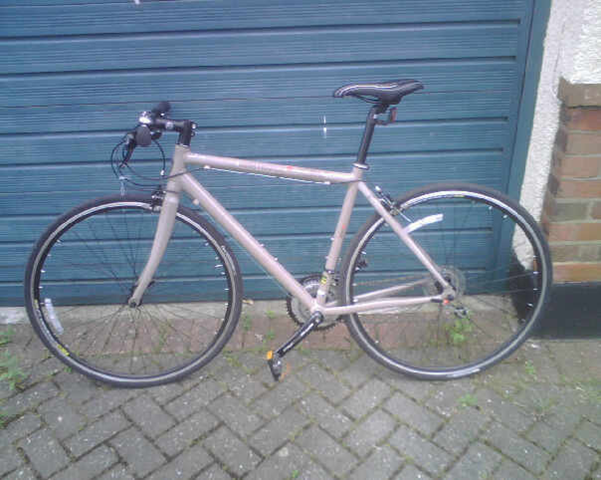
It’s a great bike and I have clocked up nearly 1,000 miles in the last year it can cope well enough with a mix of road and gravel/forest trail type conditions – it’s not an off-road bike by any means as it has pretty slim tyres but its pretty versatile and light and well suited to the type of riding I do (mainly road with occasional trail/park) the riding position is excellent for heavy traffic as it’s quite upright and the flat handlebars make manoeuvring in traffic easy.
We have a 3-year old who likes to come along on rides, for this I have one of these seats.
 Hamax Kiss One Point Fitting Rear Mounted Seat Black: Sports & Leisure
It mounts to the bracket shown below which I just leave on my bike all the time. The seat is quick and easy to get on and off the bracket and is secure when on, the metal mounts offer a reasonable level of suspension for our child when sitting in the seat and stops the worst of shocks from the road.
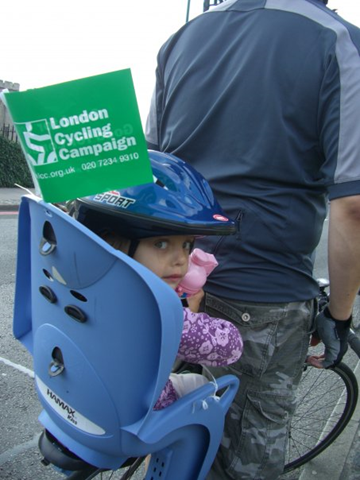
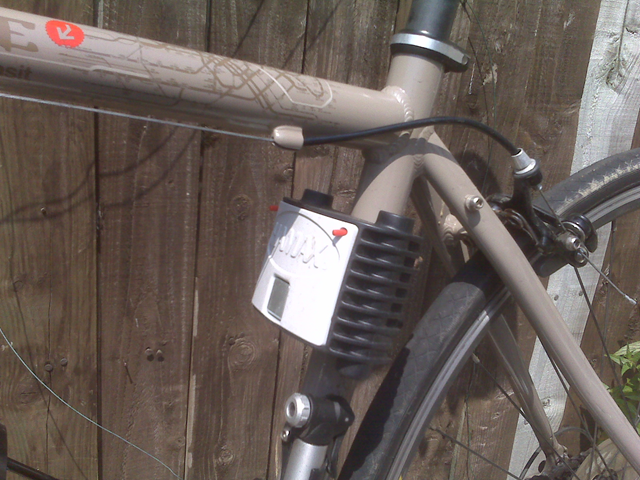
I did look at some of the Weeride type seats but didn’t like the proximity of the childs head to my chin/teeth 🙂 especially over bumps! although I can see they would be better for weight distribution and balance.
As an added bonus if you need to do any shopping the child seat can hold the shopping whilst you ride home (assuming you don’t take the child with you of course :)).
I hope that was useful to someone, my inspiration for looking into this originally came from the following links
http://www.ultrarob.com/blog/2007/11/bike-ride-mapping-with-gps.php
http://www.nickfessel.com/gmaps/burlingtonbikeRide.html
http://www.semifluid.com/?p=80
http://www.singletracks.com/blog/mtb-trails/topo-maps-in-google-earth-map-your-bike-trails/
vSphere ESXi as a VM – VMKernel Traffic Not Working
Posted by on June 12, 2009
In the lab I am currently working with I have a set of vSphere 4 ESXi installations running as a virtual machine and configured in an HA cluster – this is a great setup for testing VM patches, and general ops procedures or learning about VMware HA/DRS/FT etc. (this lab is running on a pair of ML115 g5 servers but would work equally on just one

Everything installed ok and I can ping the virtual ESX servers from the vCenter host that manages the cluster (the warning triangle is that there is no management network redundancy – I can live with that in this lab.
All ESX hosts (physical and virtual) are connected via iSCSI to a machine running OpenFiler and the storage networking works ok, however when I configure the vMotion & FT private networks between the VM ESX hosts I cannot ping the vMotion/FT IP addresses using vmkping – indicating that there were some communication problems, normally this would be a VLAN issue or some routing but in this instance all the NICs and IP addresses for my lab reside on a flat 10.0.0.0/8 network (it’s not production, just a lab).
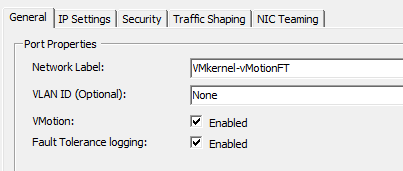
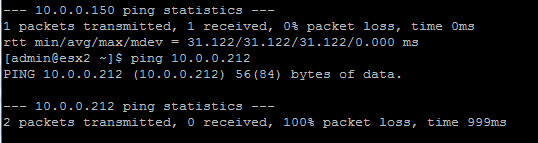
After some digging I came across this post for running ESX full as a VM, and noted the section on setting the vSwitch to promiscuous mode so I tried that with the vSwitch on the physical ESX host that the two ESXi VMs were running on;

And now the two Virtual ESXi nodes can communicate via vmkping
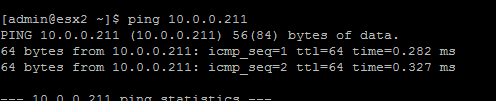
Problem solved and I can now vMotion nested VMs between each virtual ESX host – very clever!
vSphere – How to Enable FT for a Nested VM
Posted by on June 7, 2009
As in my previous post; I am working on a lab with virtual ESX4 servers in it – I can vMotion VMs from a physical vSphere cluster into the virtual vSphere cluster perfectly and performance is very good (just 1 dropped ping in my testing)
One of the physical hosts belongs to www.techhead.co.uk which he has kindly lent for this joint experiment – see his posts here, here and here on running vSphere on these HP ML115g5 servers and their FT compatibility. We have some joint postings in the pipeline on guest performance with complicated apps like SQL & Exchange when protected via FT , so keep your eyes peeled.
As the physical ESX hosts themselves are FT compatible I thought I’d see if I can enable FT for a VM running inside a virtual ESX server cluster, so a VM running inside a hypervisor, inside another hypervisor..!


Our of the box, unfortunately not; as it gives the following error message 😦
|
Power On virtual machine Record/Replay is not supported on this CPU for this guest operating system. Vou may have an incompatible CPU, you may have specified the wrong guest operating system type, or you may have conflicting options set in your config file. See the online help fot a list of supported guest operating systems, CPUs and associated config options. Unable to enter fault tolerance mode. |
To work around this you can enable the following advanced (and likely totally unsupported) settings to enable FT on the nested VM (the default is/was false) (thanks to the comment on this post for the replay.allowBTOnly = TRUE setting!)


And here it is – Nested VM running, with FT enabled

Very nice
Later on you can see some warnings about hosts getting a bit behind, also I had some initial problems getting FT to bring up the 2nd VM properly, the UI said it was restarting and it got stuck there, I dropped the virtual ESXi host down to a single vCPU rather than two and it worked ok from then on. I decided to do this as the virtual ESXi nodes were coming up reporting 2 x Quad core CPUs; whilst the physical host only has a 1 x Quad Core CPU so I guess that was causing some confusion.
At this point both of my virtual ESXi hosts were on the same physical vSphere server, and I seemed to have problems with the secondary getting behind. (vLockstep interval)
In this instance my nested VM is running an x86 Windows 2003 unattended setup.


I vMotioned one of the virtual ESXi hosts to the second physical vSphere server (very cool in itself) and it seemed to be better for a while, I assume there was some CPU contention from the nested VM.
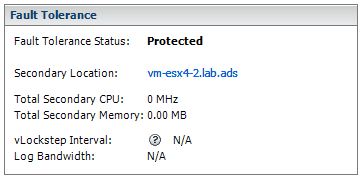
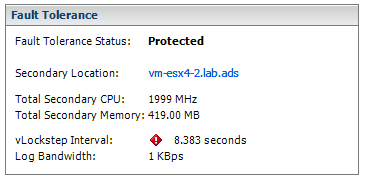
However in the end it flagged up similar errors, I assume this is due to the overhead of running a VM inside a hypervisor, inside another hypervisor 🙂 this is a lab setup but will prove very useful if you have to learn about this stuff or experiment with different configurations.
This is probably totally unsupported, use at your own risk – but it does work well enough to play about with in the lab.

 Virtualization, Cloud, Infrastructure and all that stuff in-between