Virtualization, Cloud, Infrastructure and all that stuff in-between
My ramblings on the stuff that holds it all together
Daily Archives: November 18, 2009
Get a move on and do your VCP4 upgrade
Posted by on November 18, 2009
If you are a VCP3 you’ll need to get a move on and upgrade your certification to VCP4 unless you have time to sit (and pay for) some classroom training next year – you need to have passed the exam before December 31st 2009 (i.e in 43 days time!)
Also bear in mind there might be a bit of a rush – anyone else remember the NT4 MCSE –> one-shot Windows 2000 upgrade exam? there will be a lot of people in the same boat as you (and I!) and time is running out, this is especially a problem if you only have access to a limited number of testing centres where you live as they will be getting booked up.
As some insurance VMware are also offering a free re-take at present; but there is a catch – you have to wait for a voucher to be emailed to you before you can book your exam with free re-take option – and it says the Friday following your registration – so bear this delay in mind if you want to take this option.
If you are a VCP3 you should have received an email from VMware with a link to register for
For the official word on what you need to do – go here – you’ll also need your VMware myLearn username and password (which is recoverable from the site if you’ve forgotten it)
You can register for the 2nd shot option here
It seems a bit odd, but you need to register for this “virtual class” to be issued the voucher (screen cap of successful registration below..)
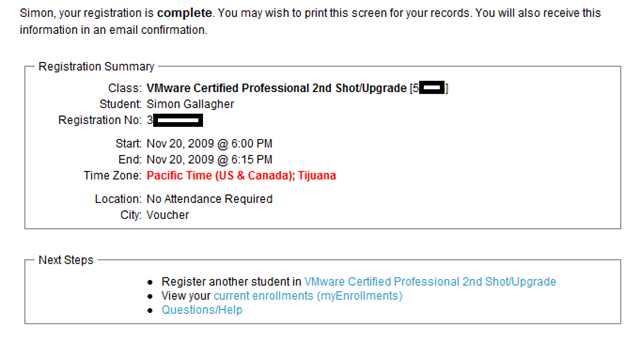
I am now waiting for my voucher via email* so I can register for my VCP exam with free re-take option – check this post for links to my study materials and another plug for Simon Long’s excellent resources here, oh and I need some time to take the exam as well 🙂
*You may want to check the email address registered with your myLearn account is valid/correct
OS X Expose Clone for Windows
Posted by on November 18, 2009
One of the main things I miss as I switch between a Mac and PC is the lack of decent multi-window manager support in Windows – alt-tab and win-tab are great but I find them cumbersome.
A particular bug bear of mine is if you have to manage multiple terminal services sessions to servers/virtual machines, they are manageable when they are windowed. but if you have a low-screen resolution or small monitor its often more comfortable to use the TS sessions in full-screen mode, this brings with it some window confusion and the annoying pin/not pinned title bar to switch screens using the mouse.
OS X has an excellent feature called Expose which allows you to setup hot corners on the screen or hot-keys which, when activated zoom out to a thumbnail view of all your open application windows – and you can then click on the one you want.
it also has great support for multiple monitors, and stacks of monitors – if you’ve not used Expose/Spaces before check out Steve Jobs introducing it in this video (and take the Mac Fanboy whooping with a pinch of salt :))
Now – it’s not exactly the same but I’ve been using an application called Switcher to accomplish some of what OS X can do – below is a screenshot of all my open application windows when I touch a hot-corner
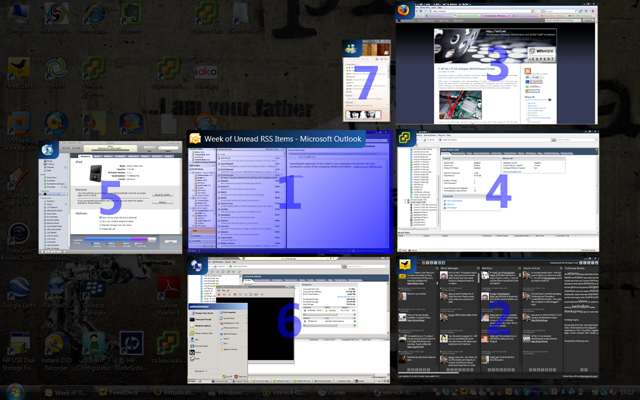
Clicking on the desktop wallpaper in the background reverts the display to just the desktop (ala show desktop from the taskbar). the most important feature for me is the full-screen TS session – you can have as many of these open as you want and you can just browse and pick them by clicking on the appropriate thumbnail without having to hunt around win-tab’ing via the keyboard or taskbar.
it also has a large range of customisation options as shown below
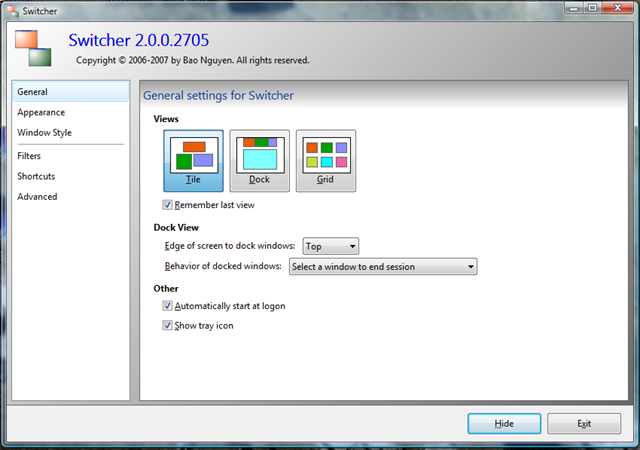
Easy.
Unfortunately it seems like Switcher isn’t actively developed any more 😦 but it is free – so open to better alternatives but it works for me with the occasional crash
You can download Switcher for free with instructions from http://insentient.net/Switcher/Overview.html

 Virtualization, Cloud, Infrastructure and all that stuff in-between