Virtualization, Cloud, Infrastructure and all that stuff in-between
My ramblings on the stuff that holds it all together
Category Archives: Visio tips
VMware Visio/PPT Objects
Posted by on March 26, 2009
Thanks to this post from Eric and following on from my last post on the subject of network diagrams here is a list of places to go and download good quality official Visio stencils for doing VMware related diagramming.
Links:
PPT objects http://viops.vmware.com/home/docs/DOC-1338
Visio objects http://viops.vmware.com/home/docs/DOC-1346
Some examples of the objects they contain are below:
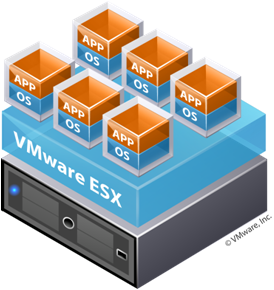



I particularly like the “build your own” – which is a quick way of doing stack/consolidation diagrams in a uniform way.
it’s a shame that you can’t ungroup these sort of shapes and split the components out or edit the text though


The Art of Network Diagrams – Visio 2007
Posted by on March 10, 2009
I bow to the Visio skills of Greg Ferro at Ethereal Mind for his series on producing good, easy to understand network diagrams and visual aids – I thought I was a Visio wiz with my nice gradient fills 🙂 but his series of posts has shown me some tricks I didn’t know existed in Visio.
To-date my diagrams have been mainly 2-D, flat (several of which have been used on this blog).. but in this post Greg shows how to make a network diagram look 3D.. when I tried this in Visio 2007 I couldn’t adjust the background shape – the steps described in Greg’s post here don’t work on Visio 2007 (but do on Visio 2003).
To do this on Visio 2007 you need to add the Pencil tool  which wasn’t on my default toolbar – you can add it via the drawing tools menu as shown below.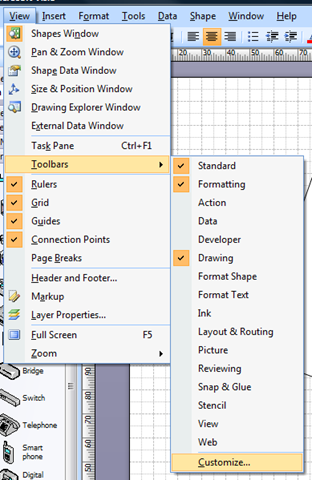
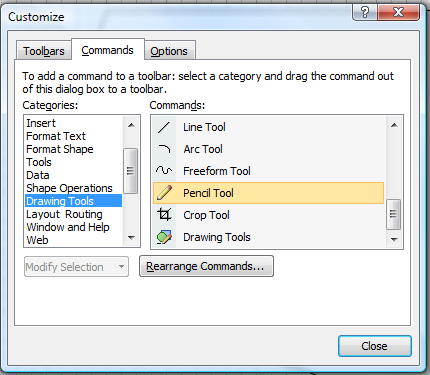
Now, when you draw a rectangle (or hit CTRL-8 to switch to the rectangle tool) the default selection is like this (square edges)


now, select the Pencil tool, and they turn into diamonds, meaning you can adjust the shape at each point as per Greg’s post to turn it into almost any shape you need.


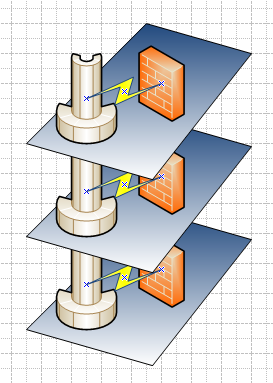
Hope that helps someone else, in terms of my own tips – there is an excellent range of detailed Visio stencils for common hardware at visiocafe.com; I use the HP ones a lot for detailed build diagrams (as below) .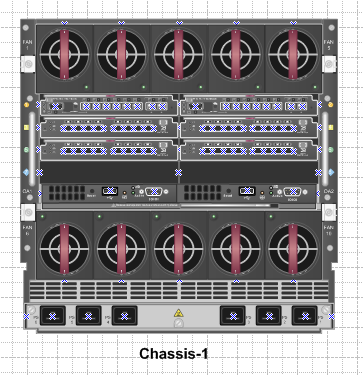

I’d strongly encourage you to think about what is the most appropriate diagram for the job and your audience, these detailed stencils are ideal for where you need to document a physical build for your support teams, but are useless when trying to explain how an environment logically fits together… a simple block/stack diagram often says a 1000 words to management, and is quicker to do 🙂

 Virtualization, Cloud, Infrastructure and all that stuff in-between