Virtualization, Cloud, Infrastructure and all that stuff in-between
My ramblings on the stuff that holds it all together
Daily Archives: May 18, 2008
Running ESX 3.5 and 3i Under VMWare Workstation 6.5 Beta Build 91182
Posted by on May 18, 2008
Following on from my earlier post I upgraded my installation to the new build of 6.5. it un-installed the old build and re-installed the latest without a problem, took about 30mins and required a reboot of the host OS.
All my previously suspended XP/2003 VM’s resumed ok without a restart but needed an upgrade to the VMTools which did require a restart of the guest OS – all completed with no problems.
Now, onto installing ESX….
I used the settings from Eric’s post here to edit my .vmx file
ethernet0.virtualDev = “e1000”
monitor.virtual_exec = “hardware”
monitor_control.restrict_backdoor = “true”
Note – you need to select an x64 Linux version from the VM type drop down, if you have to go back and change it via the GUI after you’ve edited the .vmx file it overwrites the Ethernet card “e1000” setting to “vlance” so you need to edit again otherwise the ESX installer won’t find a compatible NIC and won’t install.
it was initially very slow to boot; 5mins on my dual core laptop with only one error – which was expected..


To improve the performance I changed my installation to run the non-debug version of the Workstation binaries (rename the vmware-vmx.exe to vmware-vmx-debug.exe)
note: this isn’t recommended unless you know what you are doing, VMWare will rely on the output from the debug version of the code if you need to report any issues)
It also seems to work for the installable version of ESX 3i… (although I’ve not quite figured out the point of that version yet :)).

Install prompt

it did fail with an error the 1st time round..

this was because I had specified an IDE disk as per the ESX instructions, I changed it to a SCSI one and it worked ok.
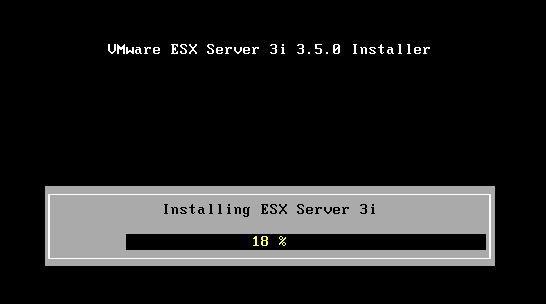
Finished..
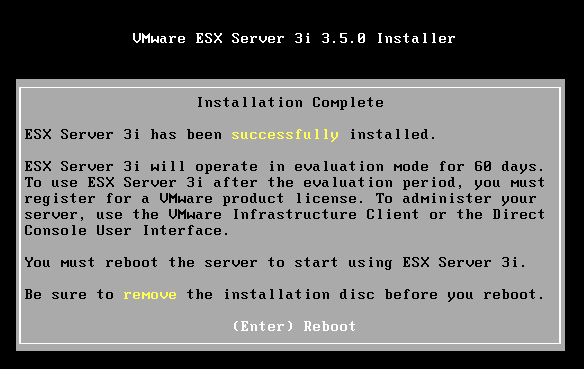

The ESX 3i install has a footprint of about 200Mb on disk, and ESX 3.5 uses 1.5Gb.
I’m going to keep the 3.5 install on my laptop and will try to use linked clones to maintain a couple of different versions/configs to save disk space.. I’m sure I could knock up a quick script to change the hostname/IP of each clone – if I do I’ll post it here.
Why would you want to do this? well because you can, of course 🙂 and its handy for testing patch updates and scripts for ESX management etc.
I will also try to get a ESX DRS cluster running under workstation with a couple of ESX hosts and shared storage over iSCSI using something like OpenFiler as shown here. won’t exactly be production performance, but useful for testing and demo’ing.
New VMWare Workstation 6.5 Build(s) and ability to run ESX 3.5
Posted by on May 18, 2008
As a result of this post from Eric Sloof I note there is a new build of Workstation 6.5 available; I hadn’t noticed this as I haven’t had much time to follow the forums and my beta/RC (as used in this post and installed here is build 84113) hasn’t notified me there is a new release as all the previous 4.x/5.x beta’s have.
Oddly I checked this morning before I saw Eric’s post and it reported no new builds available – assume this is because its still a beta programme.
Anyway – if you downloaded the previous build before 14th May then go to this page and you can update your registration for the new build (below).

I’ll be trying this out in the coming week and hopefully will be able to get ESX running on my laptop under VMWare Workstation (very handy mobile demo platform).

 Virtualization, Cloud, Infrastructure and all that stuff in-between