Virtualization, Cloud, Infrastructure and all that stuff in-between
My ramblings on the stuff that holds it all together
Category Archives: vmworld
DC02 – Best Practices for Lab Manager (VMworld Europe 2009)
Posted by on February 24, 2009
This was an interesting session; I’ve played a bit with Lab Manager but definitely intend to invest more time in it this year, key things for me were;
There are approx 1000 deployments of Lab Manager at customers, a large percentage in Europe.
You need to bear in mind VMFS constraints on the number of allowed hosts when using DRS with Lab Manager, LM typically provisions and de-provisions lots of VMs so size hosts and clusters accordingly. Consider the storage bandwidth/disk groups etc. The self-service element could easily let this get out of control with over-zealous users, implement storage leases to avoid this (use it or loose it!)
Real-life Lab manager implementations have typically been for the following uses;
- Training – I hadn’t personally considered this use-case before but it’s popular
- Demo environments – McAfee using LM to run their online product demo environments, some custom code to expose the VM console outside of VI into a browser.
- Development – VMware make heavy use of Lab manager for their own dev environments, they have build end-end automation via the SOAP API to integrate with smoke test tools and commercial tools like Mercury etc. builds go through automated smoke tests with the whole environment being captured with the bug in-situ and notifications and links sent to the relevant teams for investigation – excellent stuff; would be good to see a more detailed case-study on how this has been built.
Multi-site Lab Manager implementations are tricky – and need manual template copies or localised installations of LM; may be addressed in future releases.
When backing up Lab Manager hosted VMs think about what you are backing up; guest-based backup tools (Symantec/NTBackup etc.) will expand out the data from each VM and will consume extra storage – Lab manager uses Linked-clones so the actual storage used on the VMFS is pretty efficient.
Ideally use SAN based snapshots on the whole VMFS (or disk tree), and not individual VMDK backups – no file/VM granularity but there is a good reason for this; because linked-clones are so inter-dependent you need to backup the whole chain together otherwise you risk consistency issues (maximum number of linked clones is 30)
VMware say there is no real performance penalty for using linked clones, SAN storage processors can cache the linked/differential parts of the VMDK files very efficiently (due to smaller size fitting in cache I guess?)
There is a tool called SSMove which can move virtual disk trees (linked-clone base disk + all children) between VMFS volumes – not Storage vMotion aware; needs downtime to that VM (and it’s children) to carry out.
There is a concept of organizations within Lab Manager which allows you to separate out access between multiple teams accessing the same Lab manager server and infrastructure.
Network Fencing is a useful feature in Lab Manager, it means you have multiple environments running with identical or conflicting IP address spaces; it automatically deploys a virtual appliance which functions as a NAT and router between the environments to keep traffic separate but allow end-user access by automatically NAT’ing inbound connections to the appropriate environment/container.
All in there are some good features being added into Lab Manager but it would be really good to see VMware working with PlateSpin to integrate the two products tighter, out of the box Lab Manager doesn’t have a facility to import physical machines via P2V – VMware are focused on end-end VM lifecycle solutions but PlateSpin could bring a lot to the table by keeping lab copies of physical servers refreshed; and conversely the ability to sync workload (OS/app/data) changes from development systems back out to physical machines (or other hypervisors – more on PlateSpin and it’s X2X facilities in a previous post here).
VMworld Partner Day wrap-up
Posted by on February 24, 2009
I take back what I said earlier about lack of technical track & content – whilst it wasn’t quite up to the list of previously announced sessions there was enough good stuff with information that is relevant to VMware partners with both a technical & competitive slant.
I still have my concerns that tomorrow is going to be rammed with the number of people expected, best get in early if you want a seat.


There was a fair bit of mud-slinging at Microsoft & Citrix from the ThinApp and View camp but I’ve seen similar from the other side so I think that’s just business as usual, whilst a nice thought – it would be better to have more of an independent view on the matter and I note Brian Madden has a session about VDI vs.TS and he’s always been pretty objective about that sort of thing – I’ve seen him at BriForum in the past.
Afternoon sessions were interesting, covering the upcoming AppSpeed product (‘#include <subject to change, your mileage may vary type disclaimers.h>), which is borne from the B-Hive acquisition last year – I’ve been looking forward to this as a result of early demo work I did on the B-Hive product, the upcoming vCenter integrated product is likley to support a good set of DB & Web applications as well as Exchange – I for one would like to add my vote for RDP/ICA coverage in future releases, VMware have noted this is in the pipeline for future releases, there will be a further beta programme later in the year and it looks very promising – almost a killer app for virtualization projects as far as I can tell (more information later in the week from the public sessions).
Microsoft were hosting some drinks this evening and had some interesting discussions with the AppV/HyperV guys, they have a stand in the solutions exchange and are worth checking out, IMHO if only for the AppV stuff, it’s an excellent product and IMHO better positioned for the enterprise environment and can service offline scenarios much better than VMware ThinApp (despite the mud-slinging that went on today)
 I spent a bit of time preparing the ioko stand in the vCloud pavilion, I’ll be on the stand tomorrow during the lunch break and the evening session with TechHead. Confusingly, and some would say tactically we are both called Simon in real life but if it helps, I look like this. Don’t let that put you off – or the fact that there seems to be some concrete attached to my head in the photo ! :)).
 We’ll be there with some other ioko colleagues for the welcome drinks, please feel free to come over and say hi, we have a presentation on the stand around our cloud reference architecture and customers. I would be happy to talk anyone through it and our practical experiences implementing this cloud thing (we were doing it long before it was called “cloud”).
The solutions exchange is huge.. far bigger than I had expected, drop by the Dell stand for the biggest flat-screen TV you have ever seen!
Hands-on labs are looking good – dual screen setups and thin-client devices.

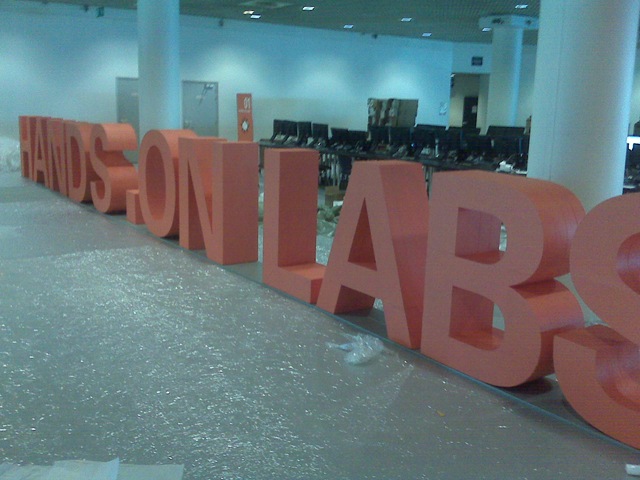
Here are some pictures from the Solutions Exchange as it’s being setup

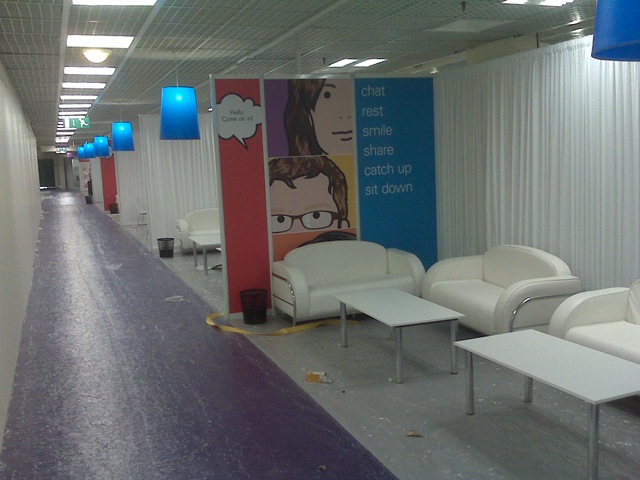
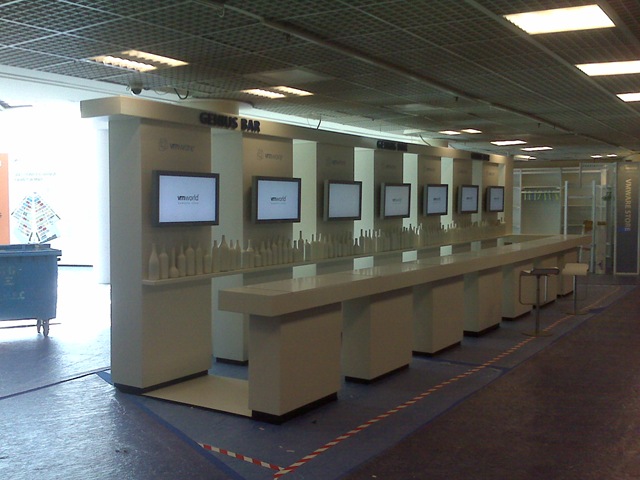
Right, early start tomorrow (or later today, it’s 1am local time)… more live posts from the keynote – here’s hoping for some major product announcements from VMware to counter the recent MS/Citrix ones.
VMworld Partner Day – Keynote
Posted by on February 23, 2009
So things have kicked off here in Cannes for VMware partners of which my employer is one, the first session is the keynote/general session – covering general product announcements, some sales woop-de-woop and details of upcoming partner programmes.

Despite the “current economic climate” (a phrase which has been used at least 100 times already today, and it’s only 11am) there VMware are still seeing a strong demand for product and services and the VMworld event itself, this isn’t surprising (to me anyway) as I’ve long seen VMware’s key message as “do more, with less” which is what you need if you are tightening the corporate belt.
There are 1500 partners here today for partner day and they are expecting 4,600 delegates for the full conference which starts tomorrow; it’s already pretty heaving on the 1st floor balcony and I think tomorrow might be pretty crammed – best try to get to sessions early.
I’m not sure what happened but when I signed up for partner day originally there was a full-on technical track for today, which was my main reason for attending – this seems to have vanished without a trace and the remaining sessions are a mix of sales/business/competitive and partner sessions with what look to be some high-level tech session later today – this is a bit disappointing and I’ve not seen anything in the run up to say this was going to be the case, ah well I’m sure there will be some useful information anyway.
There was some interesting positioning of virtualization which I’ve not seen spelled out before – positioning it as enabling the “software mainframe”, building a large, reliable compute resource but using industry standard building blocks, reducing proprietaryness (new word I have invented) like you have with traditional mainframes (ICL, IBM, etc.) through standardisation of constituent parts (no single vendor tie-in).
in the keynote Paul outlined VMware’s key initiatives going forward;
- VDC-OS – foundation for the cloud; internal now, enabling…
- vCloud –
- Service Provider targeted,
- build clouds using VDC-OS tech
- allows eventual federation
- reduce proprietaryness (choice)
- VMware Working with standards bodies
- Desktop as a service (DaaS) – programme started with VMware View and ThinApp products, 2009 full rollout of full suite
- People stay, devices come and go
- Current model is device centric, move to user-centric (provision users not PCs.
- Abstract the underlying plumbing through virtualization
- Currently centralised / server hosted only Thin-Client/VDI
- Mobile
- Client hypervisor – make seamless replication of environment delivery and data between server based and local and sync data back
- VMware view – DaaS thin & thick clients with central mgmt.
- take advantage of de-duplication
- currently PCoIP (PC over IP – remote desktop) – blade PCs etc
- Trickle data changes back to cloud (less device dependency)
- possibly enable BYOPC (buy your own PC from say PC world, you get the choice, IT provide a sandboxed environment for you to work in
- Isolation through virtualization from local OS
- VMware would like you to install Win7 to the cloud (easy upgrades, less hardware dependencies, upgrade of lot of distributed PC hardware = resource intensive
- users & IT are Slaves to pieces of hardware.
Interesting item – Terraditchi (spelling?) is a hardware device that does WAN acceleration for remote desktop sessions they are a VMware partner and are collaborating to move the implementation entirely into software –less proprietary/dedicated hardware.
Cloud is great but as I’ve talked about before its going to take time (or will never happen) for everyone moves everything to the cloud, there will always be a hybrid internal/external cloud VMware are floating the term "virtual private cloud" through vCloud to describe a federation & choice between internal & various service providers.
this allows this sort of move to be done in an evolutionary way, rather than revolutionary (i.e throw it what you have and rebuild) – virtualization can deliver benefit now (cost saving/consolidation/DR) and position you for a strategic move to the cloud in future through the federation/standardisation from vCloud/VDC-OS.
VMware also officially using/announcing the vSphere; light on details – hope there will be a big announcement tomorrow – but he did say shipping this year.
2 (high-level) product announcements today
vCenter server heartbeat SLA monitoring and HA combined (app awareness and response time and DRS/HA)
vShield zones (leveraging vSafe API to delivery security & compliance products).
VMware are making big moves into the desktop space with the View suite and there could be a good green story here, VMware’s statistics show 684M desktop PCs in the world now
By my very quick workings are @85w each = 58 billion watts )58Million KW of energy) if a thin client + share of a central VDI datacentre is 20w that’s a huge energy saving
With the introduction of the client-side hypervisor they mention they have the possibility to solve the problems of this scenario for offline/mobile use.
Lastly, VMware Partner University is announced, accessible via Partner central All VMware technical and sales training materials online. It has been Localised to several language and is Role based (sales/pre/post) and solution specific (VI/VDI/BC)
VMworld Session Builder/Auto-Generator
Posted by on February 17, 2009
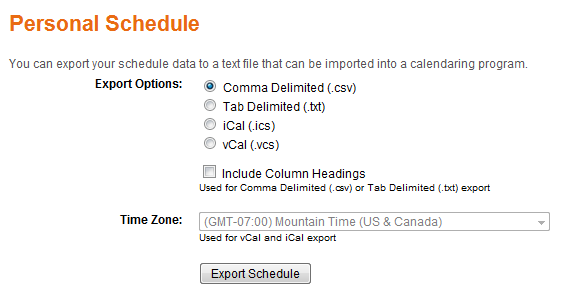
There is an automated session builder for VMworld, which lets you build up your sessions and export them into various calendar formats (Outlook, iCal etc.) I couldn’t find any navigation to this from the VMware homepage or vmworld.com site – but thanks to Virtual Aleph I managed to find a link, strange.
The link you are looking for is here, it does all seem a bit disjointed from the vmworld.com site, maybe its not meant to be released yet as Manlio says he was notified by email – but it worked for me and I have some sessions scheduled now, lots to choose from, so little time 🙂 maybe VMware will consider a 4 1/2 day format like Microsoft use for TechEd in future.
If you can’t do the auto-schedule, you may have too many sessions in your interests section, by my reckoning there are about 16 session slots; the schedule for Thursday PM hasn’t been announced as they will be re-running the most popular sessions – would expect an announcement late Weds/early Thurs on this.
Export options..
vinf.net at VMWorld Europe 2009
Posted by on February 17, 2009
Less than 1 week to go now until VMworld Europe 2009 kicks off in Cannes, I will be there blogging about the content and this is a quick post to let you know what I will be doing during this time.
“the tools”
I’ve been using twitter for a while but not extensively; I’ve found it useful during sessions to share information that later makes it into proper full-blown blog posts; IMHO twitter definitely isn’t the end of the blog but it’s useful for this sort of real-time event.
I have my Blackberry 8120 with TwitterBerry as my tweet posting client, Google maps to find my way around and it’s built-in camera/video recorder via Qik. plus the usual email etc.
My laptop; Dell Latitude D620, Windows Vista and Microsoft Live Writer (and tweetdeck) 3G and WLAN access (hoping WLAN will be good!) and the usual corporate application stack
I have remote access back to my home lab via an SSL VPN (I’ve got a big post on my refreshed lab in the pipeline) should I come across anything cool I want to try out.
I have a Mimo Flip camera as kindly provided by VMware, I’m no video wizard but I’ll try and post up anything interesting that I come across – and hopefully try not to be on camera myself 🙂
“the schedule”
I’m at Partner day on Monday – so will be posting anything of interest (subject to any NDA material)
I’ve not fleshed out my conference schedule yet; but will do so later and post it up; I note there is no pre-registration for sessions this year and they have the whole PM on Thursday reserved for re-runs of popular/oversubscribed sessions so hopefully that will work out.
There is also an interesting ancillary meeting with Microsoft around their virtualization strategy which I will be attending and will post what I can, if you have anything specific to ask the top virtualization people @MS, comment away and I’ll ask what I can.
Once I finalise my intended sessions I’ll post them up.
“the official capacity”
My rather excellent employer, ioko have a stand in the vCloud zone and I’ll be manning the stand occasionally with my colleague TechHead. Typically lunchtime and the end of the day – if you have something specific you want to talk to me about drop me a line at simon dot gallagher at ioko.com or DM me on Twitter – I’d be happy to talk you through our managed services, my professional services team and the cloud reference architecture I’ve been developing for internal and customer use.
Zeus will also be at the event and are definitely worth checking out – indeed you might want to check out this joint case study on a project we completed to provide online video for Forumula One in record time. </plug>
“the ones to watch”
My twitter account is here, if you want to get in touch, or maybe meet-up DM me and I’ll see what we can arrange.
My Blog is obviously here and I’ve added the twitter feed to the homepage and the blog RSS feed here should you wish to subscribe
My Qik account is here, I’ll cross-post Qik links to twitter
VMWare have the virtual vmworld event here – free registration
The unofficial vmworld underworld site is here
“My hopes”
I hope for the following at VMworld…
- No crazy queues, and large session halls (SF 2007 still haunts me!)
- Good, stable Wireless
- ESX4 release or public beta dates
- More tangible vCloud technical information and roadmap
- Some interesting discussions with the community
- some good free stuff 🙂
Enjoy!
And so begins 2009..
Posted by on January 5, 2009
Ok, well it was last week 🙂 apologies for the lack of postings in the last month which was due to a mix of well-earnt holiday and some very busy periods of work in the December run-down.
Anyways, I would like to wish all vinf.net readers a belated happy new year; I’ve been amazed at how much this blog has grown over the last year, since my last review its now topped 120k hits – and (un)interesting factoid; Thursdays are consistently the most busy day for traffic!
Rest assured I haven’t been idle in the month’s absence from blogging. I have a number of interesting posts in the pipeline, continuing my PlateSpin power convert series (with the new product names/line-up that was announced in the meantime!) and fleshing out my cloud reference architecture, VMWare vCloud, Amazon EC2 and some further work on cheap ESX PC solutions for home/labs.
In other news, VMWare have kindly offered* me a press pass to VMWorld Europe in Feb which I’m honoured to accept and will hopefully be following Scott’s example by blogging extensively before, during and after; although I’ll probably stick to a day by day summary like I did for TechEd last year and break out any specific areas of detailed interest into separate posts so that they get the attention and level of detail required.
I’ve also submitted for a number of presenter sessions so fingers crossed they’ll be accepted.
2009 looks to be a very interesting year for the virtualization industry with increased adoption and considering the current economic climate maybe the VI suite should be renamed the Credit Crunch Suite rather than vSphere as more and more companies consolidate and virtualize to save money 🙂
Cloud computing also looks to be big this year and I’m hoping to be very active in this area, building on the work I did last year taking a more practical/infrastructure position on adoption, hopefully I will have some exciting announcements on this front in the coming months.
*In terms of disclosure, VMWare have offered me a free conference ticket in exchange for my coverage – there is absolutely no stipulation on positive/biased content so I’ll be free as ever to give my opinion, my employer is likely to be covering my travel expenses for the event as I was going to be attending anyway.
VMWorld Week
Posted by on September 15, 2008
Well, it starts a bit later today in the US, I went last year and it was a very useful and educational week, my only gripe was about scale – there were too many people and the place was too small, crazy queues for every session.
It seems they’ve moved to somewhere much bigger this year and I hear the attendance is up on 14k people from 10k last year.
I couldn’t make it this year, but I am going to Microsoft Tech-Ed – I’ve been to both of these a couple of times in the last few years and in my opinion they’re brilliant value for money. It costs about £1.5k GBP +expenses to go for a week.
Yes, it’s away from home and there plenty of opportunities to jolly it up after work hours but, to put it in context a normal 1 week technical training course on VMWare or Microsoft stuff in the UK costs upwards of £2-3k. I find most courses frustratingly slow and plodding and they focus in a narrow set of a products functionality and only ever at a high level, never really drilling down into the intimate details of a product as courses are delivered by trainers who are divorced from the technology and delivering a training package.
Whereas with VMWorld or Tech-Ed you can drive your own schedule; you can pick from various deep technical or high-level sessions across a wide range of products and tech.
There is always a good attendance from technical members of the product and engineering teams and partners, over the years I’ve had lots of in-depth discussions with the people who wrote the code and have gained far more understanding than I could ever get from a training course.
Tech-Ed, VMWorld are the only way to get up to speed with their current products, if I were to put it into numbers I’d say a training course could give you maybe 5% of what you would get out of Tech-Ed/VMWorld – unless your day job has a very narrow focus to one task and one product which has been around for a while. If you’re a consultant or Architect tasked with making and implementing technology decisions there is no argument – best money you (or your employer) will ever spend.
So, for those of us that couldn’t be here tonight 🙂 here are my round up of links to the best “virtual event” coverage
Eric Sloof http://www.ntpro.nl/blog/
Scott Lowe http://blog.scottlowe.org/
VMWorld site http://vmworld.com/vmworld/index.jspa
Enjoy!
Edited for appalling spelling!

 Virtualization, Cloud, Infrastructure and all that stuff in-between