Virtualization, Cloud, Infrastructure and all that stuff in-between
My ramblings on the stuff that holds it all together
LiveBlogging from TechEd
Posted by on June 12, 2008
Slow vMotion..
Posted by on June 2, 2008
Note to remember, don’t forget to check the duplex settings on NICs handling your vMotion traffic.
My updated clustered ESX test lab is progressing (more posts on that in the next week or so)… and I’m kind of limited in that I only have an old 24-port 100Mb Cisco hub for the networking at the moment.
vMotion warns about the switch speed as a possible issue.

I had my Service Console/ vMotion NICit forced to 100/full and when I 1st tried it vMotion took 2hrs to get to 10%, I changed it to auto-negotiate whilst the task was running and it completed without breaking the vMotion task ain a couple of seconds, dropped only 1 ping to the VM I moved.
Cool, it’s not production or doing a lot of workload but useful to know despite the warning it will work even if you’ve only got an old hub for your networking, and worth remembering that Duplex mis-matches can literally add hours and days onto network transfers.
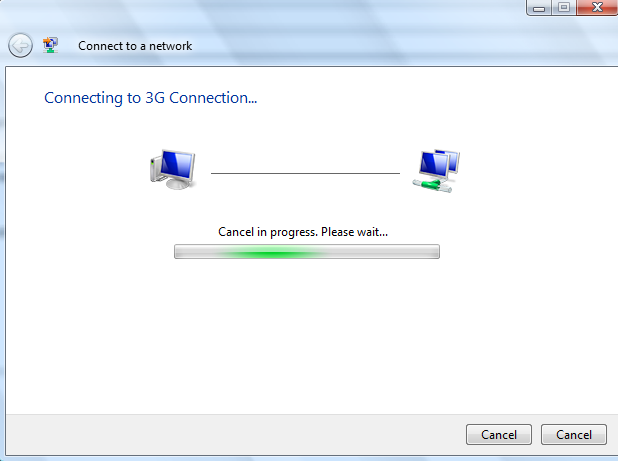
Mmm, Should I cancel, or should I cancel?
Posted by on May 30, 2008
You see, it’s all about the choices with Vista 🙂
Free SAN for your Home/Work ESX Lab
Posted by on May 25, 2008
VM/Etc have posted an excellent article about a free iSCSI SAN VM appliance that you can download from Xtravirt
it uses replication between 2 ESX hosts to allow you to configure DRS/HA etc.
Excellent, I’m going to procure another cheap ESX host in the next couple of weeks so will post back on my experiences with setting this up, my previous plan meant I’d have to get a 3rd box to run an iSCSI server like OpenFiler to enable this functionality, but I really like this approach.
Sidenote – Xtravirt also have some other useful downloads like Viso templates and an ESX deployment appliance available here
Microsoft Blogger on Licencing
Posted by on May 24, 2008
This is a great blog, from one of the licencing managers at Microsoft – Emma has made a good start on providing easy to understand articles on MS licencing in bite sized chunks.
It’s not everyone’s favourite topic, but we all have to do it 🙂
Useful for virtualisation people as there’s a whole section on it with pictures some further hilights (for me) on SPLA licencing, SQL and System Centre
Welcome Emma, keep up the good work – even if you are forced to adopt the American spelling of the word for your main job role like me 😉
Thanks to James for the original link.
A Closer look at Green IT and Microsoft’s new Container Data Centre in Chicago
Posted by on May 24, 2008
Link here – good visualisation about 10mins in of how their new Chicago data centre is laid out internally.
With virtualisation breaking the traditional hardware/OS ties; this is becoming an increasingly appealing way of managing commodity compute grid resources for large organisations. Mike makes some good points about the de-comissioning of servers on a large scale where you are adding 10’s of thousands on a regular basis – you need to take them out at some point too, and that’s time consuming. at this scale of operation It’s more efficient to make the the container and/or datacentre the field replaceable unit (as I discussed a while back) in this scenario.
Also interesting point that water consumption may be the next environmental touch paper for legislation and disclosure for IT shops.
SpinVox: The Future of Voicemail
Posted by on May 20, 2008
SpinVox is changing the game for busy people..
I don’t know about you but I tend to treat my mobile (USA:cellphone) phone as my personal contact device, in that I use it to manage both my inbound and outbound communications and plug that into my daily work/life workflow.
Because I travel about a lot for business (and in my spare time also) I give everyone my mobile number, rather than a fixed line as its far more likely to reach me and I don’t have to track numerous voicemail/UM numbers, I also gain a unified call log and history on a single device so I can refer back over time to find numbers I would have otherwise lost.
I have a fax to email service for the same reason for the odd occasion I need to receive a fax… I can get it anywhere and file it electronically.
However the fact that people have my mobile number does not (for me at least) set the expectation that I will be at their beck and call, or answer on demand – I make use of caller ID to screen my calls, I’ll make no secret of that; I manage my workflow during the day and quite often other people’s sense of “urgent” is different from my own [unless you are actually my boss of course – when your calls will usually be answered directly], and at the end of the day I need to balance the needs (…of the many) people who want me to do something for them, and my ability to actually do so and carry on with my day to day workload.
So for example people that ring from lines with withheld numbers will almost always be allowed to go to voicemail, unless I am expecting such a call; I know most people have no control over corporate switchboards but I’ve never understood the logic of withholding caller-ID, especially from a large organisation as you can make the number almost anything, even a central or local office switchboard number if you don’t want to expose people’s regional DDI’s. it also works to their advantage as I’ll be better prepared to speak to them if I know what they want to know – clever as I am I don’t always know everything off the top of my head!
This often means I have a fair number of voicemail’s building up to listen to, and unfortunately more often than not the spare time I have to listen to the messages is whilst on a train or car when I don’t have a pen handy to jot down that number – or am more likely to leave the number written on the copy of the metro on the train.
Now, this is where I’ve found Spinvox really useful in the last couple of weeks; it’s essentially a paid-for service that you use to replace your normal o2/Vodafone/etc. voicemail service. you change your divert on busy/unavailable settings to point at an assigned geographical number (in my case in 0208 one, so it’s inclusive in any bundled minutes your tariff includes rather than a national rate 0870, 0845 etc.).
It offers the normal voicemail features where you can call a special number (again geographical, rather than national-rate etc.) to listen to the actual messages and set your greeting message etc.
But the advantage of SpinVox is it’s ability to convert the speech into text, which can be delivered to you either as an SMS text message or an email (my preference).
I was a bit skeptical at first, but I was very, very impressed after using the 7 day free trial. so much so that at one point I doubted that there was any technology behind it at all and that they were employing a large battery of English speaking monkeys to listen in and type it all up… their website assures me that this isn’t the case and they use a tiered architecture of several speech-text engines depending on the content as some are better at number recognition etc. (can’t find the original link to that article so will keep digging)
It also does an excellent job of transcribing phone numbers and extracts the caller-ID from the caller if it’s available so no hunting around for that elusive pen!
If there is a word in the message Spinvox can’t transcribe or has made a guess at it marks it with a “____” or (?) and if you want to hear the subtle intonation of the person who left the message, each message includes a quick code so you just dial the Spinvox retreival number and key in *03 for example and it will replay the message – a godsend compared to the usual next, next, next drudge with most voicemail systems.
For example – here is a real message left for me.. (names and numbers changed to protect the innocent, but if you really can do my extension cheaper than they can – please do call :)).
You received a new voicemail from +4420812312312:
———-
“Hi there Vinf my name is Bob. I’m calling from a company called XYZ Construction. We received your details via our website regarding your extension. I was wondering if you could give me a call back when you get the message. My telephone no. is 0800123123, in order to discuss the project further. Thank you, bye.”
– spoken through SpinVox
———-
Message received at May 8, 2008 1:25:55 PM
If you wish to listen to this message, call your voicemail on +44207xxxxxxx and press *08
For assistance, see www.spinvox.com or email service@spinvox.com
Thank you,
SpinVox
So, back to the point; email delivery of the text content of voicemail messages into my Outlook Inbox allows me to flag, follow-up, set reminders, file, delete etc. and integrate them into my normal daily workflow so I ensure I can manage any resulting actions.
Previously I’ve found where I have had a large number of unheard voicemail messages (due to holiday or long meetings) it takes longer than I’d like to listen to them all; as they often overlap or are irrelevant due to the elapsed time and let’s be honest people (myself included) tend to ramble when they are leaving information in brain-freewheeling mode on an answer machine, or just say it’s X – call me back, which isn’t all that helpful.
So dealing with such a pile of messages, especially when compared to the quick gratification of dealing with normal emails – where you can scan, easily re-read and file, mark for follow-up etc. means dealing with voicemail often fell to the bottom of my priority pile. This, in turn means I risk missing that one important message or take longer to respond to people (yeah I’m a fickle sort of guy – make my life easier and I’ll get back to you quicker… I’m sure I’m not the only one)
In meetings, it’s also ideal – because they’re delivered as SMS or email they also turn up on my Blackberry so I can glance at them during the meeting and make a value/balance decision on wether I should step outside to respond. Doing this in 1:1 meetings might be a bit rude as someone is dedicating their time for your use. But for larger meetings or conferences where you are not always involved or contributing to everything it’s a discrete way of making a judgement call on what requires your current attention.
 Overall I’m very impressed, sometimes I’ve seen it take up to 10mins to deliver a converted message (maybe there really are monkeys involved :)), and it’s a bit annoying that the caller (on my o2 network anyway) gets a “your call is being diverted, please hold..” message rather than just cutting to Spinvox as it does with o2’s own voicemail service – but I guess that’s a network feature rather than Spinvox and it’s not a huge deal.
The billing is interesting, and to be honest I think a little bit unclear, as you are basically signed up once your 7 day trial is finished and I’ve not really had any visibility of how they bill other than a message on the last day of the trial saying my account had been charged £5, call customer services otherwise. I can only assume it’s doing this via reverse-SMS billing – for me, this is handy rather than having to manage another subscription and set of card details, however I could see that bothering some people.
Note: I have a “company phone” and don’t always see the bills, so I’ll probably be expecting a call from accounts at the end of the month to query it!
Another use which I hadn’t thought of is for deaf and people with hearing problems, this is ideal as they often make heavy use of text and email to exchange information as they are often unable to call people directly as not everyone has a minicom type setup, I see they are offering text to speech services
They also have a variety of blog/social network interfaces on the way; I don’t think these would be much use for me, but you never know… it takes a while to type these things up, but I’m pretty sure it’s clearer if I’m forced to think about what I’m writing than if I were allowed to ramble at a translator 🙂
In summary it’s an excellent service, and one that I would be happy to pay for myself (even if the billing process is a little unclear, to me and the other user’s I’ve polled anyway) I wonder how long before this technology is adopted by the carriers themselves… it’s got to be the next step, everyone I know hates normal voicemail. most current Unified Messaging systems I’ve seen don’t offer this type of functionality, they’re still geared towards dealing with audio content.
Lastly, one feature that could be quite useful is a web based system for listening to the actual voicemail messages from a PC, rather than dialling into the Spinvox system – although I wonder if I really would use this, it’s so accurate in converting the audio!
Steve Richards blog on work/life balance has a good post on dealing with email overload, that could be extended to take on management of voicemail if you combined it with SpinVox as I mention above – it all ends up in one place which allows you to manage it… rather than drown in it.
I’m not the only one finding it useful, some further reading from other SpinVox Users…
http://www.atmasphere.net/wp/archives/2008/05/14/with-spinvox-im-reading-your-voicemail
http://darlamack.blogs.com/darlamack/2008/05/how-did-i-live.html
http://www.womworld.com/nokia/3305/spinvox-a-lifeline-for-busy-users/
http://davestronach.wordpress.com/2008/05/02/spinvox-voicemail-to-text/
Running ESX 3.5 and 3i Under VMWare Workstation 6.5 Beta Build 91182
Posted by on May 18, 2008
Following on from my earlier post I upgraded my installation to the new build of 6.5. it un-installed the old build and re-installed the latest without a problem, took about 30mins and required a reboot of the host OS.
All my previously suspended XP/2003 VM’s resumed ok without a restart but needed an upgrade to the VMTools which did require a restart of the guest OS – all completed with no problems.
Now, onto installing ESX….
I used the settings from Eric’s post here to edit my .vmx file
ethernet0.virtualDev = “e1000”
monitor.virtual_exec = “hardware”
monitor_control.restrict_backdoor = “true”
Note – you need to select an x64 Linux version from the VM type drop down, if you have to go back and change it via the GUI after you’ve edited the .vmx file it overwrites the Ethernet card “e1000” setting to “vlance” so you need to edit again otherwise the ESX installer won’t find a compatible NIC and won’t install.
it was initially very slow to boot; 5mins on my dual core laptop with only one error – which was expected..


To improve the performance I changed my installation to run the non-debug version of the Workstation binaries (rename the vmware-vmx.exe to vmware-vmx-debug.exe)
note: this isn’t recommended unless you know what you are doing, VMWare will rely on the output from the debug version of the code if you need to report any issues)
It also seems to work for the installable version of ESX 3i… (although I’ve not quite figured out the point of that version yet :)).

Install prompt

it did fail with an error the 1st time round..

this was because I had specified an IDE disk as per the ESX instructions, I changed it to a SCSI one and it worked ok.
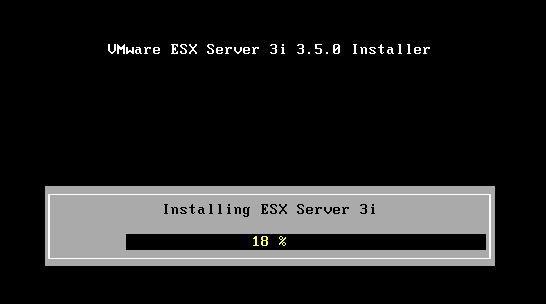
Finished..
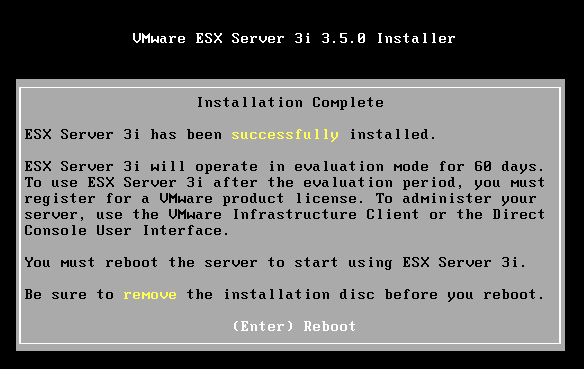

The ESX 3i install has a footprint of about 200Mb on disk, and ESX 3.5 uses 1.5Gb.
I’m going to keep the 3.5 install on my laptop and will try to use linked clones to maintain a couple of different versions/configs to save disk space.. I’m sure I could knock up a quick script to change the hostname/IP of each clone – if I do I’ll post it here.
Why would you want to do this? well because you can, of course 🙂 and its handy for testing patch updates and scripts for ESX management etc.
I will also try to get a ESX DRS cluster running under workstation with a couple of ESX hosts and shared storage over iSCSI using something like OpenFiler as shown here. won’t exactly be production performance, but useful for testing and demo’ing.
New VMWare Workstation 6.5 Build(s) and ability to run ESX 3.5
Posted by on May 18, 2008
As a result of this post from Eric Sloof I note there is a new build of Workstation 6.5 available; I hadn’t noticed this as I haven’t had much time to follow the forums and my beta/RC (as used in this post and installed here is build 84113) hasn’t notified me there is a new release as all the previous 4.x/5.x beta’s have.
Oddly I checked this morning before I saw Eric’s post and it reported no new builds available – assume this is because its still a beta programme.
Anyway – if you downloaded the previous build before 14th May then go to this page and you can update your registration for the new build (below).

I’ll be trying this out in the coming week and hopefully will be able to get ESX running on my laptop under VMWare Workstation (very handy mobile demo platform).
Walking between London Underground Stations
Posted by on May 15, 2008
Slightly off-topic from my usual posts, but I had to link to this article that Annie Mole links to, which is a very useful map for anyone who lives or works in central London – it shows the actual walking distance between zone 1 tube stations.
I often get off the tube and walk between stations, luckily in my previous life as a courier I got to know some good shortcuts that avoid lots of complicated changes on the tube for some of my usual routes.
London has such interestiing architecture it’s a shame to miss it all, the alternative is often standing underneath someone else’s armpit on a hot tube train… I know which one I prefer.
Excellent work…!


 Virtualization, Cloud, Infrastructure and all that stuff in-between